How CollabBase works
From your first search to your next creator partnership.
Find creators, contact the people you want to work with, and manage the campaign without juggling spreadsheets and message threads. Take a look at the workspace and see how each step connects.
First published .
See the workspaceYour campaign, from search to results
- Find creators01
- Start a conversation02
- Manage the campaign03
- Review your results04
The short answer
Search YouTube, Instagram, and TikTok, then save promising creators to a campaign. Send a personal offer and keep replies, notes, and published posts together. You can start free; Beta, included with Pro, adds campaign cost and performance reporting.
Inside the workspace
Your creator list, conversations, and results.
Take a closer look at the tools you will use to run a campaign. These product screens use sample names, offers, and metrics. Open any screenshot to see the details.
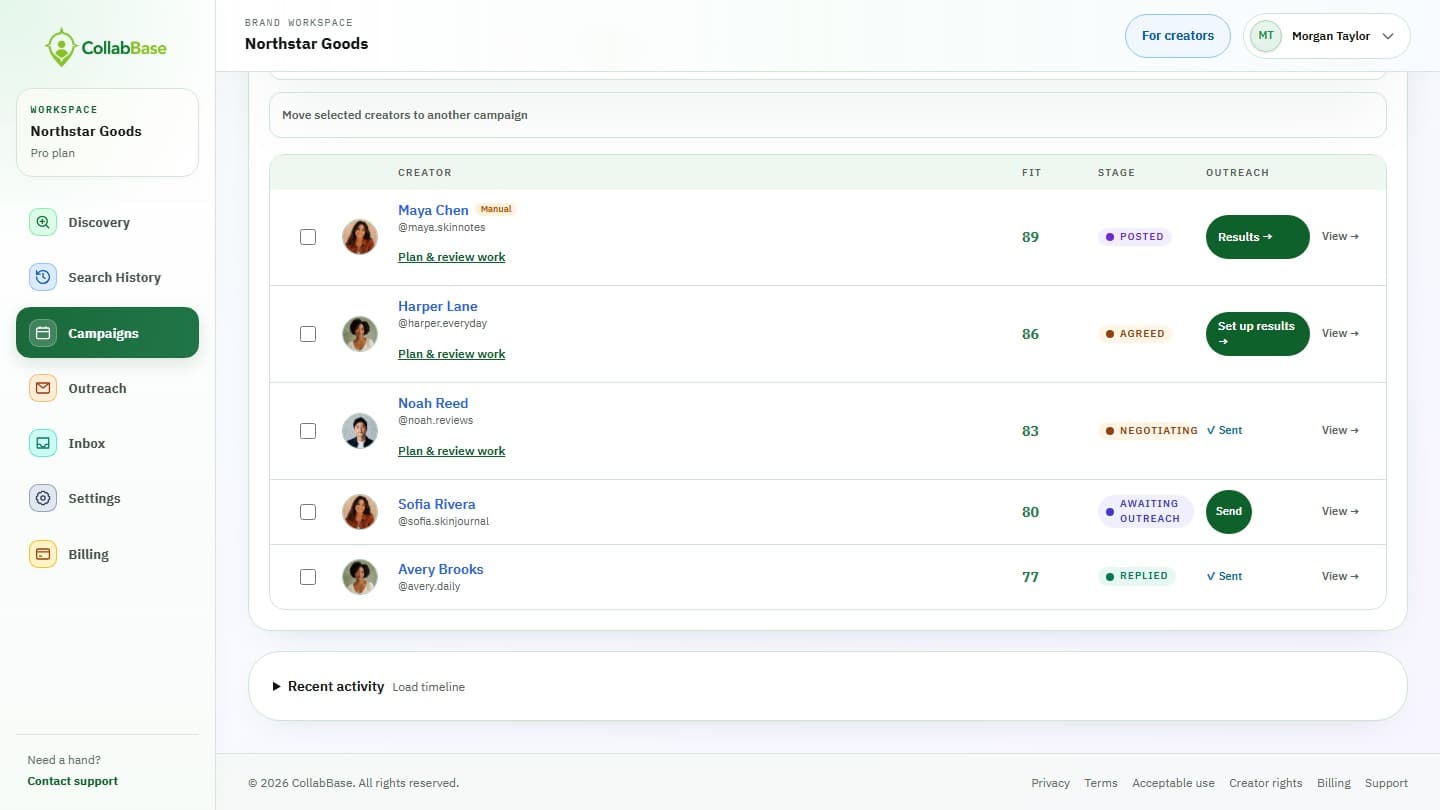
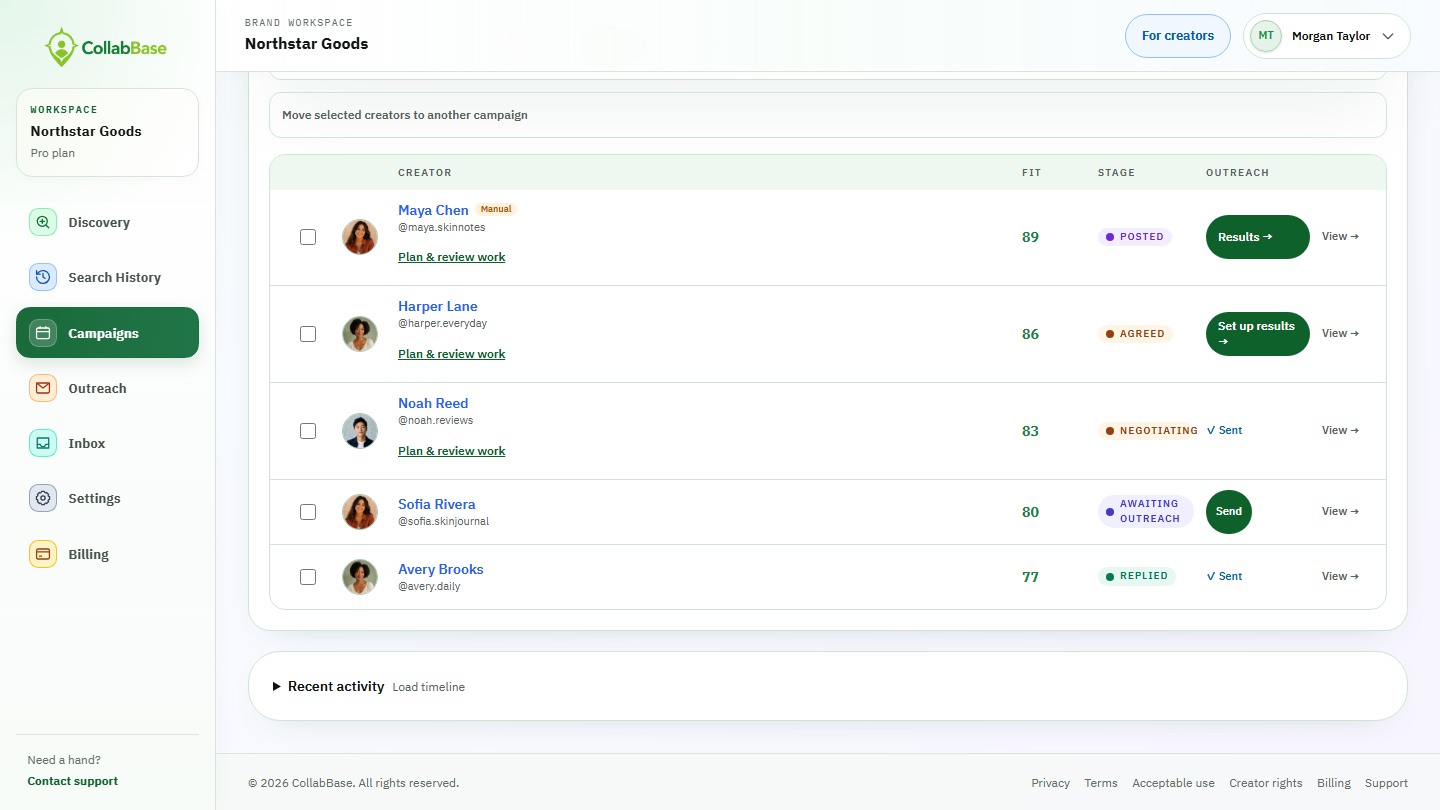
See who to contact, and what comes next
See the creators you have saved, who you have contacted, and which partnerships are underway. Open a profile, add a note, or select several creators to prepare outreach together. The conversation history stays with the campaign, ready for you or a teammate to pick up.
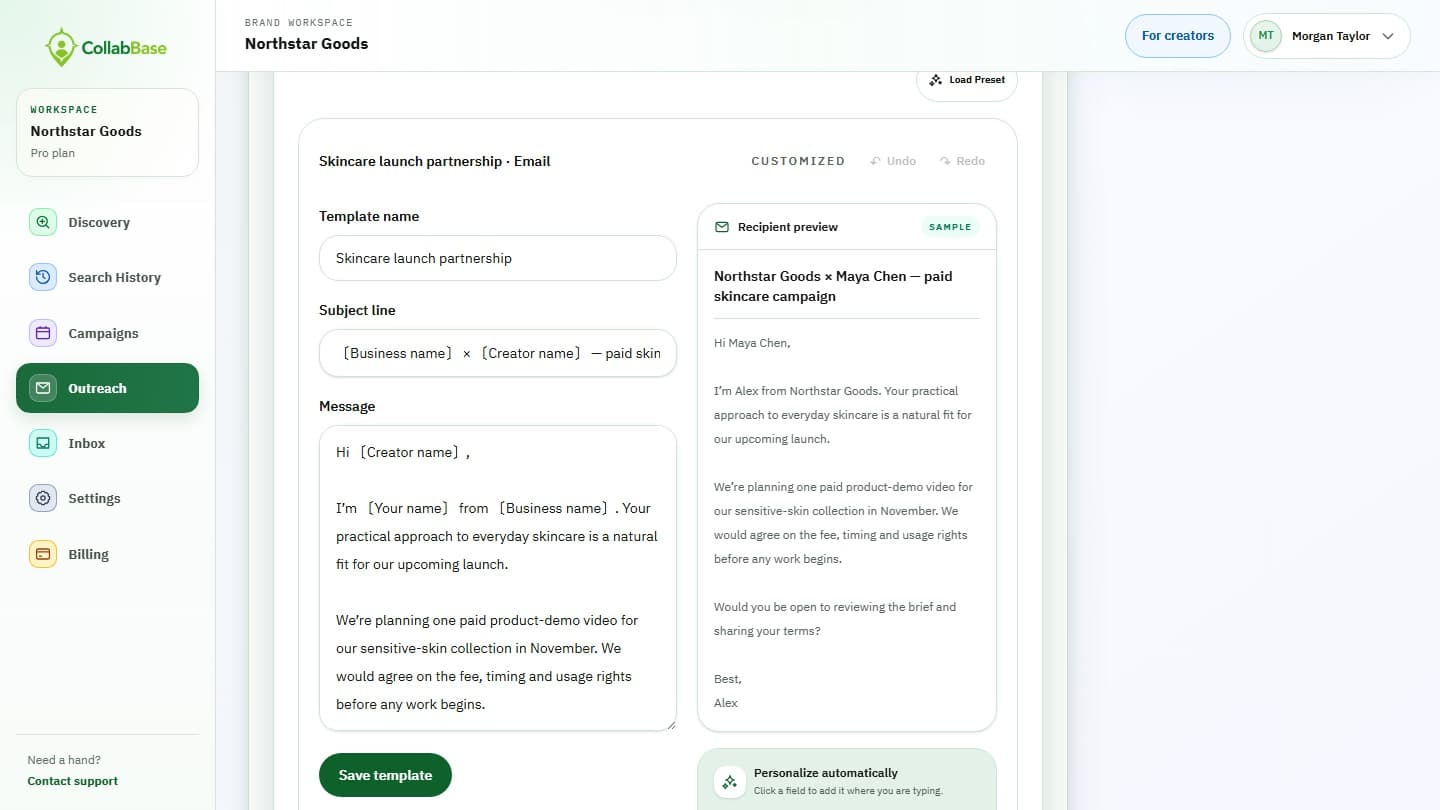
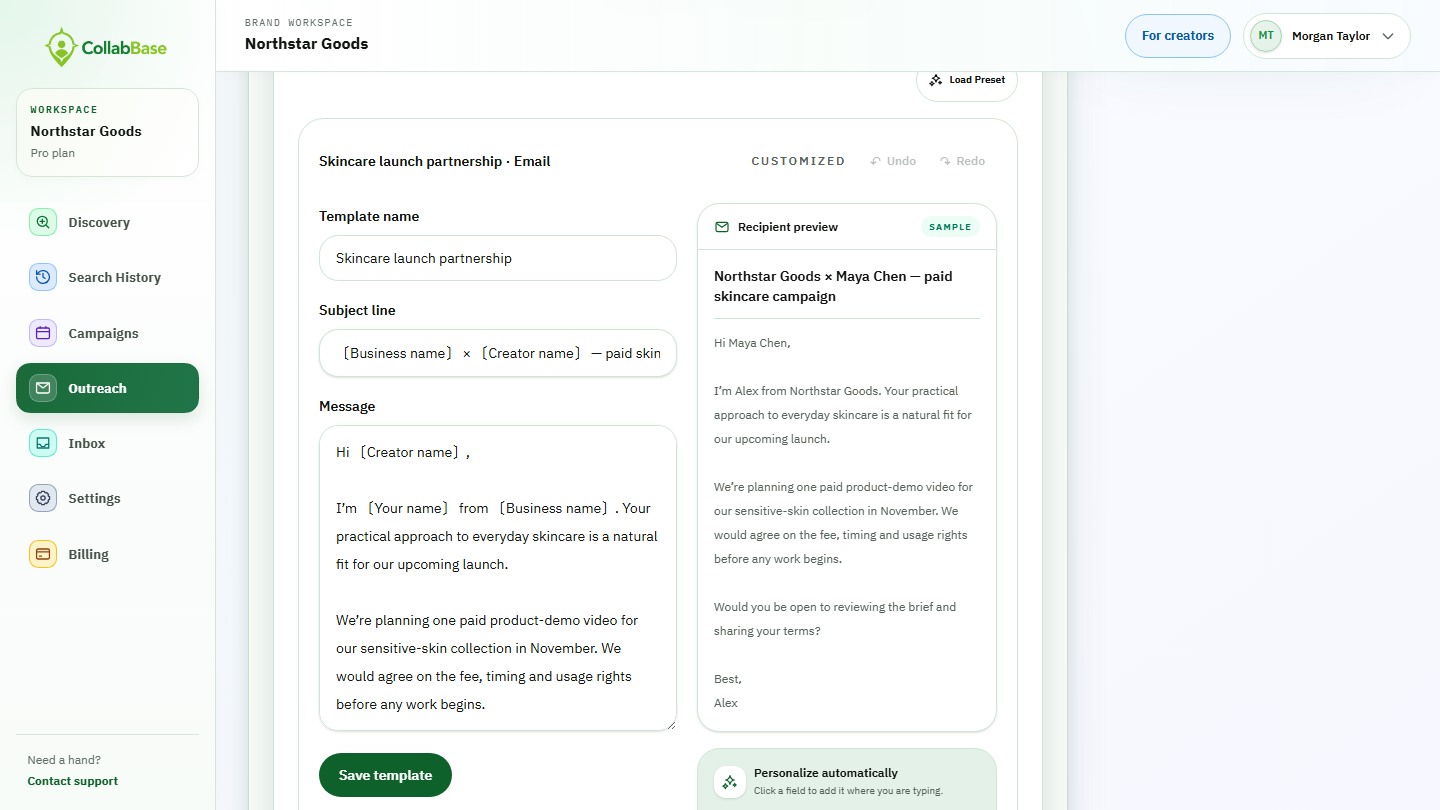
Sample data · Product preview Start with a template. Make it your own.
Choose a template and let CollabBase fill in saved names and business details. Add why you chose this creator and what you would like to do together, then review the message and recipient. You can write a personal offer without starting from a blank page each time.
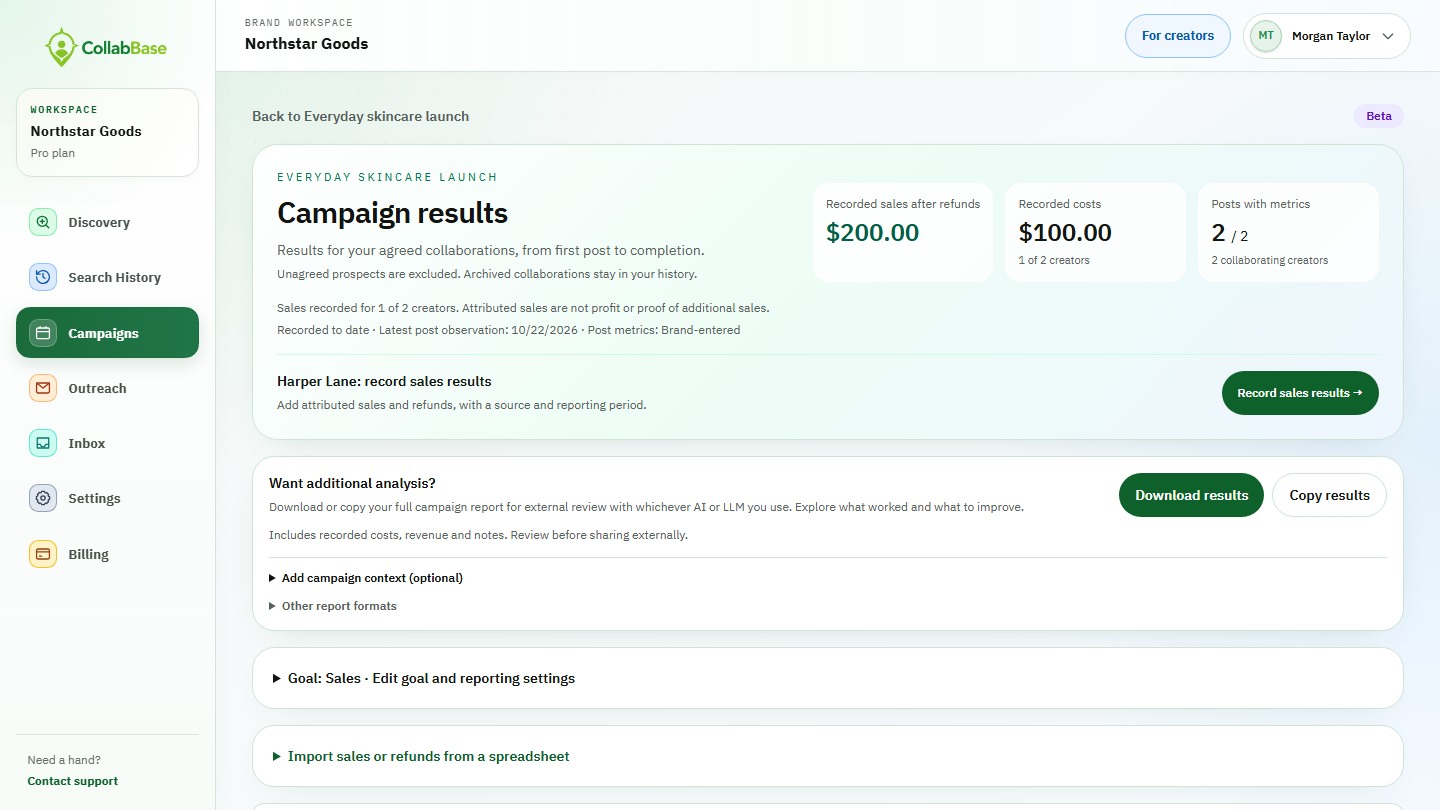
Sample data · Product preview Decide which partnerships to repeat
With Beta, included with Pro, compare campaign costs with available views, clicks, and sales in Campaign results. See what each partnership delivered and which results you are still waiting for. Share the report with your team and plan where to put the next campaign's budget.
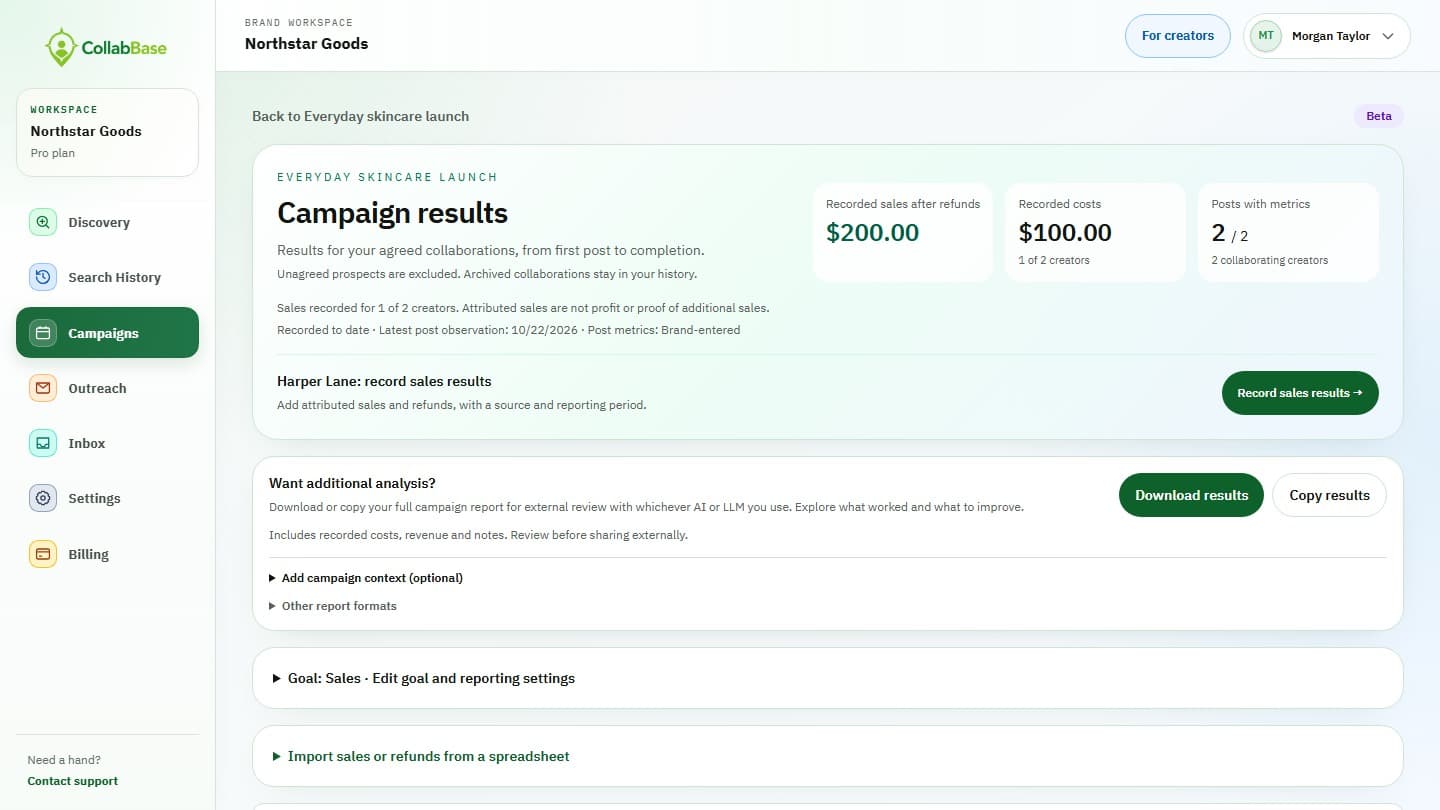
Sample data · Beta campaign reporting
1. Discover
Describe the creators your business needs
Start with a few keywords, such as “home coffee brewing,” or describe the kind of partner you want in more detail. Choose the platforms and review the filters. You can narrow by creator location, language, and follower range, or keep the search broad and compare the results.
CollabBase searches across YouTube, Instagram and TikTok using its creator database and live sources. Your plan sets the search depth. Location filters describe the creator, so ask directly about their audience’s location when you are planning a local campaign.
2. Evaluate
Get to know a creator before you reach out
Read the bio, see why the creator matched your search, and open their content. Compare available followers, views, engagement, and contact options in one place. This helps you decide whom to approach and gives you something specific to mention in your offer.
Copy or download the results, with your filters, explanations, and profile links, to review with your team. Exporting does not use another search. For details that matter to the offer but are not on the profile, ask the creator directly.
An ownership badge shows that the creator has confirmed control of a matching social account. Follow the profile links to explore more of their work, then use what you have learned to make a personal offer.
3. Organize
Keep the creators and the campaign together
Save creators from search or add someone you already know. Your campaign keeps their profiles, contact history, notes, and published posts together. See who you still want to contact, who has replied, and which partnerships are underway.
Growth and Pro let you bring teammates into the same workspace, with a shared creator list and conversation history. Your workspace shares the campaign and saved-creator capacity included in its plan.
4. Reach out
Send an offer that sounds like your brand
Write your own proposal or start with a template and make it personal. Email an available business contact, message a creator with a verified CollabBase account, or prepare an Instagram or TikTok DM. Review the message before sending; for social DMs, you press Send in the platform.
Connect a personal Gmail or Google Workspace address on any plan and complete the business and reply-address setup before your first email. Send reviewed messages from your connected Google address. CollabBase adds your workspace receiving address as Reply-To, so replies arrive in your shared workspace inbox; unrelated mail in your Google account stays private. Social replies can be added manually or imported through an available connected inbox.
Keep proposals, the single permitted follow-up and active-conversation replies together. These emails share your plan's rolling 24-hour sending limit across workspace members, with 20% reserved for replies: Free 10, Starter 30, Growth 60 and Pro 120. Incoming messages and emails sent outside CollabBase do not count. Your Google account's limits also apply. CollabBase does not charge a per-email overage for these sends; your plan's search and campaign limits stay the same.
Share a link when you want to send a brief, photo, or other file. Messages in CollabBase are text-only, so attachments are exchanged outside the app.
5. Follow through
Keep the conversation moving
Use Reply to answer questions, discuss a quote, or confirm an agreement. Active conversations can continue beyond one reply. One Follow-up is available as a second outreach attempt after no reply or a negative reply that is not an opt-out.
Update the campaign stage and add notes as you go. Your team can see what has been agreed and what needs attention next, so you can pick up the conversation without catching everyone up separately.
6. Learn
Know what to repeat next time
Save published post links on every plan. With Beta, included with Pro, open Campaign results for agreed partnerships and later stages. Choose the goal, add your costs, and review the available views, engagement, clicks, or sales alongside them.
Copy or download the report to discuss with your team or review in another analysis tool. Compare the cost of the partnership with what it delivered: useful content, interest in the product, traffic, or sales after refunds.
The report brings together information from your records, creators, supported platforms, and tracking links. It shows missing information separately, so you can follow up on it rather than mistaking an empty field for zero. For a sales campaign, count the costs and consider how the purchases were tracked before judging the return.
For creators
A free profile for the other side of the partnership
Creators can claim a free profile, confirm ownership through a supported social account, and keep their details and business email current. They can read and answer CollabBase conversations and choose to share campaign results when a participating brand invites them.
Creator social connections are read-only: creators keep control of their accounts, passwords, and what they publish. A clear, current profile gives brands more to work with when considering a partnership.
What stays outside CollabBase
You and the creator agree on the deal
Discuss the rate, work, usage rights, approval process, and payment timing directly with the creator. Use CollabBase to review draft links, request changes, and record approvals. Contracts, legal advice, and creator payments are handled outside CollabBase.
Use the workspace to keep track of those conversations and the work that follows, while you and the creator build the relationship.